
Delta Executor Roblox Upgrade Error — Easy Fix Guide 2026

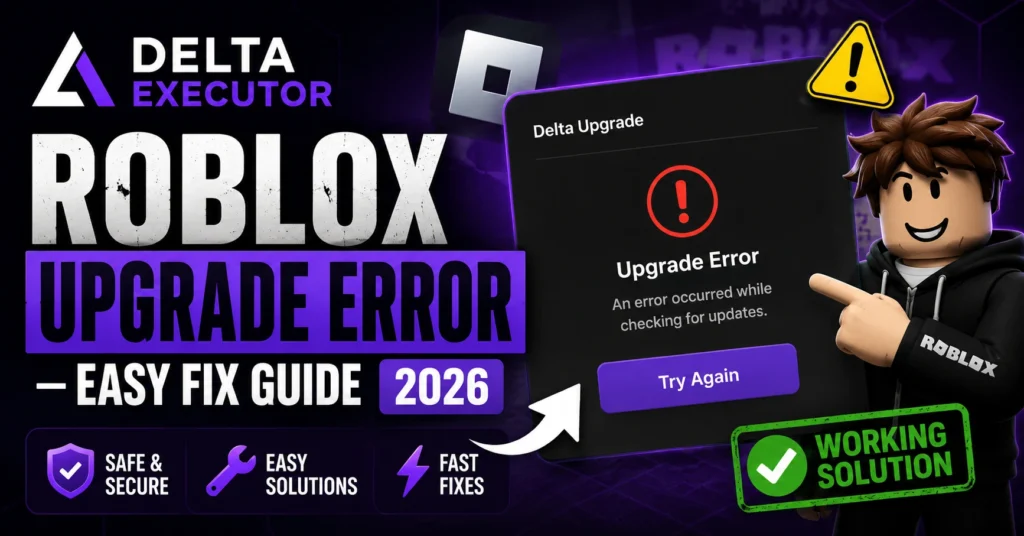
Many Roblox players using Delta Executor run into a frustrating message when launching the tool:

“Roblox Upgrade — Your version of Roblox is out of date and will not work properly. Taking you to the Google Play Store for an upgrade.”

This article explains why it happens and exactly how to fix it without confusing tech talk.
Delta Executor Roblox Upgrade Error — Easy Fix Guide 2026

What Is the Delta Executor Roblox Upgrade Error?

This error shows up when the version of Delta Executor you’re using doesn’t match the current Roblox version. Roblox updates often, and if Delta isn’t updated to match, it stops you with the upgrade screen instead of launching your scripts.

Why This Error Happens

Here are the most frequent causes:

  • Outdated Delta Executor — older releases aren’t compatible with the latest Roblox update
  • Cached or temporary files interfering — old files can trigger the wrong version check
  • Installing from unofficial sources — these often have outdated builds
  • Installation or permission problems — incomplete setups can also trigger upgrade errors

What Happens When You See This Error

When the error pops up:

  • You’re shown a message saying Roblox is outdated
  • You might be taken to the Google Play Store if you tap Upgrade
  • Even after updating Roblox from the store, Delta usually still won’t work unless the executor itself is updated

Step-by-Step Fixes

1. Try “Not Now” First

Sometimes the error is just a temporary check. If you tap Not Now when the popup appears, Delta may open normally anyway.

Update Delta Executor

Update Delta Executor

  • Step 1 — Uninstall Old Version
    Hold the Delta Executor app icon, tap Uninstall, then OK to remove outdated files
  • Step 2 — Download Latest Version
    Open your browser and go to the official Delta Executor site and download the current release
  • Step 3 — Install the App
    Find the downloaded file in your Downloads folder and install it. You might need to allow installation from unknown sources
  • Step 4 — Open Delta and Check
    Launch Delta Executor again. The upgrade error should be gone

Common Mistakes to Avoid

  • Updating Roblox itself — this does not fix Delta errors
  • Installing multiple versions at once — creates conflicts
  • Downloading from sketchy sites — can give you old or corrupted files

How to Prevent This Error in Future

  • Always download the latest Delta release from the official site
  • If an update comes out, uninstall the old version and install the new one
  • Keep your device storage clear so installations complete smoothly

Does This Happen on PC Too?

Yes, whether you’re on mobile or PC, this upgrade error generally means the Delta version doesn’t match Roblox. Updating Delta usually fixes both. También puedes leer: Delta Executor v2.717 Update Error Fix – Simple Guide 2026

Why You Still Might See It
Delta Executor Roblox Upgrade Error — Easy Fix Guide 2026

Even with the newest Delta version:

  • Roblox might have just released a patch that breaks compatibility temporarily
  • Server or verification checks might be active

In these cases, waiting for the next Delta update can fix the issue

Preguntas frecuentes

No, updating Roblox doesn’t update Delta, so the error usually persists unless Delta itself is updated

Then the error was likely a temporary glitch and you can use Delta without reinstalling

Yes, once updated or properly installed, it works normally again

Yes, some security tools can block installation, so allow Delta through or disable blockers temporarily

Not on its own. It’s a version compatibility warning. Updating the executor fixes it

Pensamientos Finales

The Delta Executor Roblox Upgrade Error isn’t a serious problem. Most of the time, updating to the latest official Delta build fixes it fast. If you ever see it again:
Try Not Now first
Uninstall and install the newest version
Avoid sketchy downloads
Clear cache and storage issues if needed
Following these steps will keep Delta working smoothly with Roblox so you can get back to playing without interruption

Similar Posts

Leave a Reply

Your email address will not be published. Required fields are marked *